
Prosper Accounting
Client
Academic Project
Year
2025
Services
Service Design
SaaS UI & Mobile App Design
UI Design
Team / Role
Solo Designer
Content
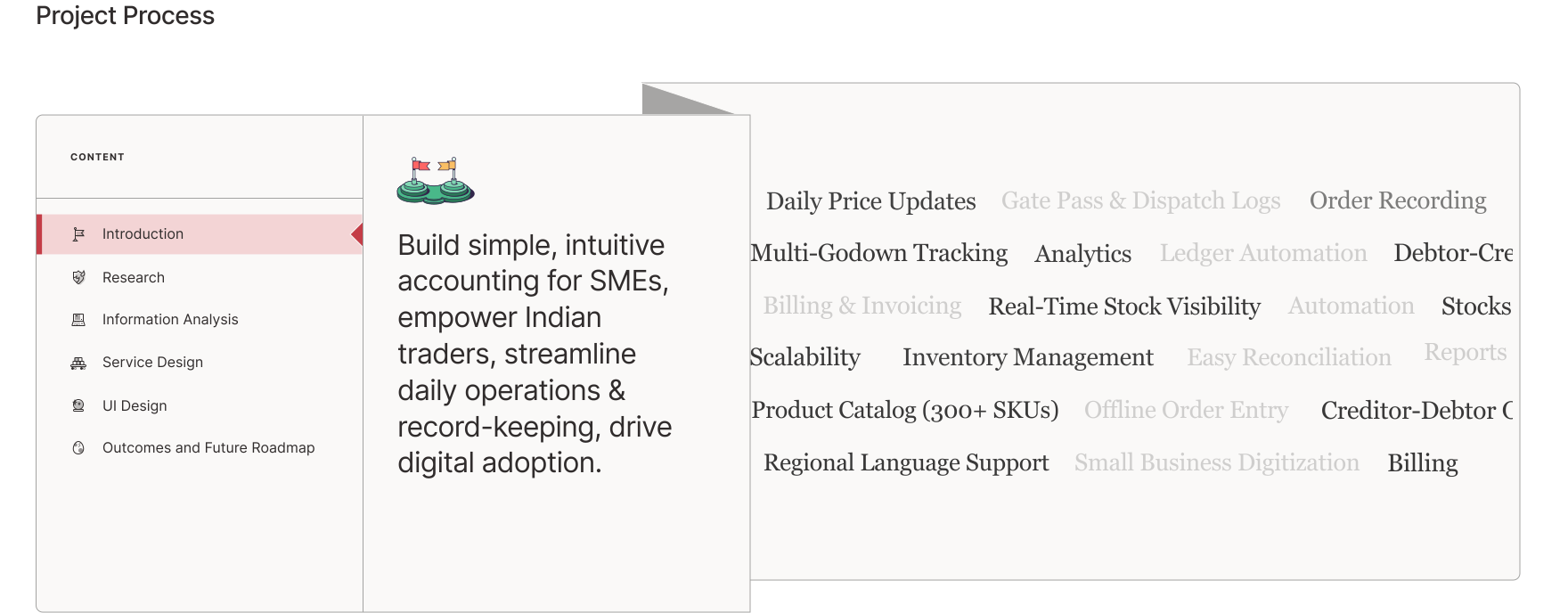
Prosper Accounting is a modern, intuitive accounting solution built specifically for small and medium-sized enterprises (SMEs). Designed to simplify day-to-day financial management. Prosper helps streamline order taking, billing, inventory tracking, and basic bookkeeping, all while encouraging digital-first practices.
No.
About
Research & Analysis
I
About
II
Surveys & User Interviews
III
Pain Point Analysis
IV
Jobs to be done(JTBD)
V
Service Design (V.I-V.V)
VI
Kano Model
VII
User Role Setting
VII
Information Architecture
(I)
Problem
Small and medium businesses (SMBs) Wholesalers and traders still depend on paper ledgers, phone calls, and WhatsApp for everything like taking orders, tracking credit, managing stock in godowns, and handling changing prices. It’s messy, slow, and full of errors.growth.
Need
They need one simple system to handle daily tasks like record orders, update prices, manage stock, and track who owes what, without writing everything down.and provides real-time financial insights, allowing SMBs to focus on running their core business and making informed decisions.
No.
(II)
Subject
Interview and Surveys
About
Takeaways
Manual Ledgers and khatabooks maintained.
Price changes for 300+SKU's are hard to manage.
Stock visibility is poor across godowns.
Credit tracking is unreliable.
Order-taking process is scattered.

"Sometimes I forget who paid what. It’s all in notebooks."
-Owners's Son

"Previous purchases or price isn’t easily accessible during data entry "
-Chartered Accountant

"We still enter data manually through receipts."
-Accountant

“I still rely on khata books for past purchase reports.”
-Business owner

Beneficiary addition while paying bills, integrating with bank might ease the process.
-Business owner

"Too many godowns. I don’t know where stock is sometimes."
-Business owner

“Cryptic error message doesn't tell me what's wrong! I need clear instructions on how to fix it.”
-Assistant
No.
(III)
Subject
Pain Point
Analysis
About
Takeaways
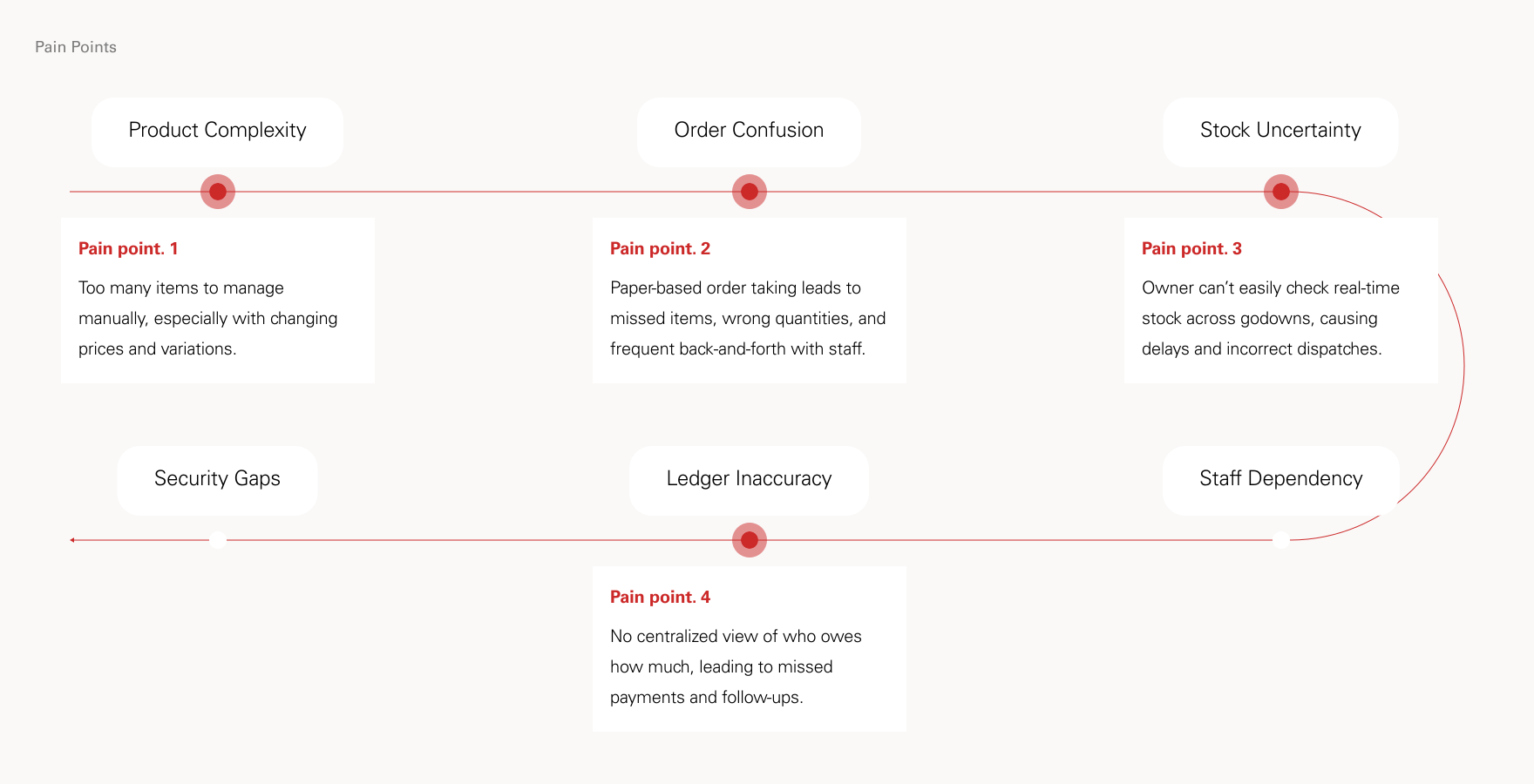
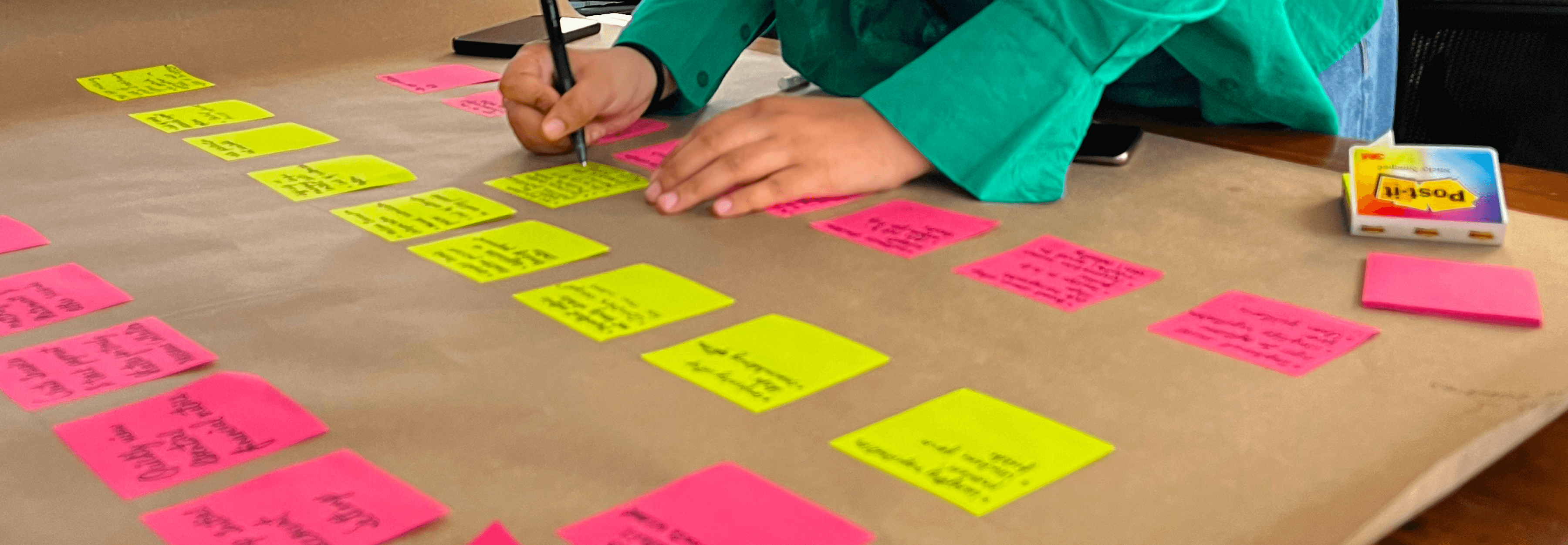
Many wholesalers, traders, and medium-sized manufacturers still rely on manual processes for creating invoices, managing orders, and tracking payments, leading to frequent errors and wasted time. Customer and deal information is often scattered across notebooks, making it hard to follow up efficiently. Without real-time visibility into inventory, cash flow, or pending actions, decision-making becomes reactive. Most importantly, there's no smart system to guide users on what to do next, whether it's reminding them to collect payments, reorder stock, or respond to a customer inquiry.
No.
(IV)
Subject
Jobs To Be Done
About
Takeaways
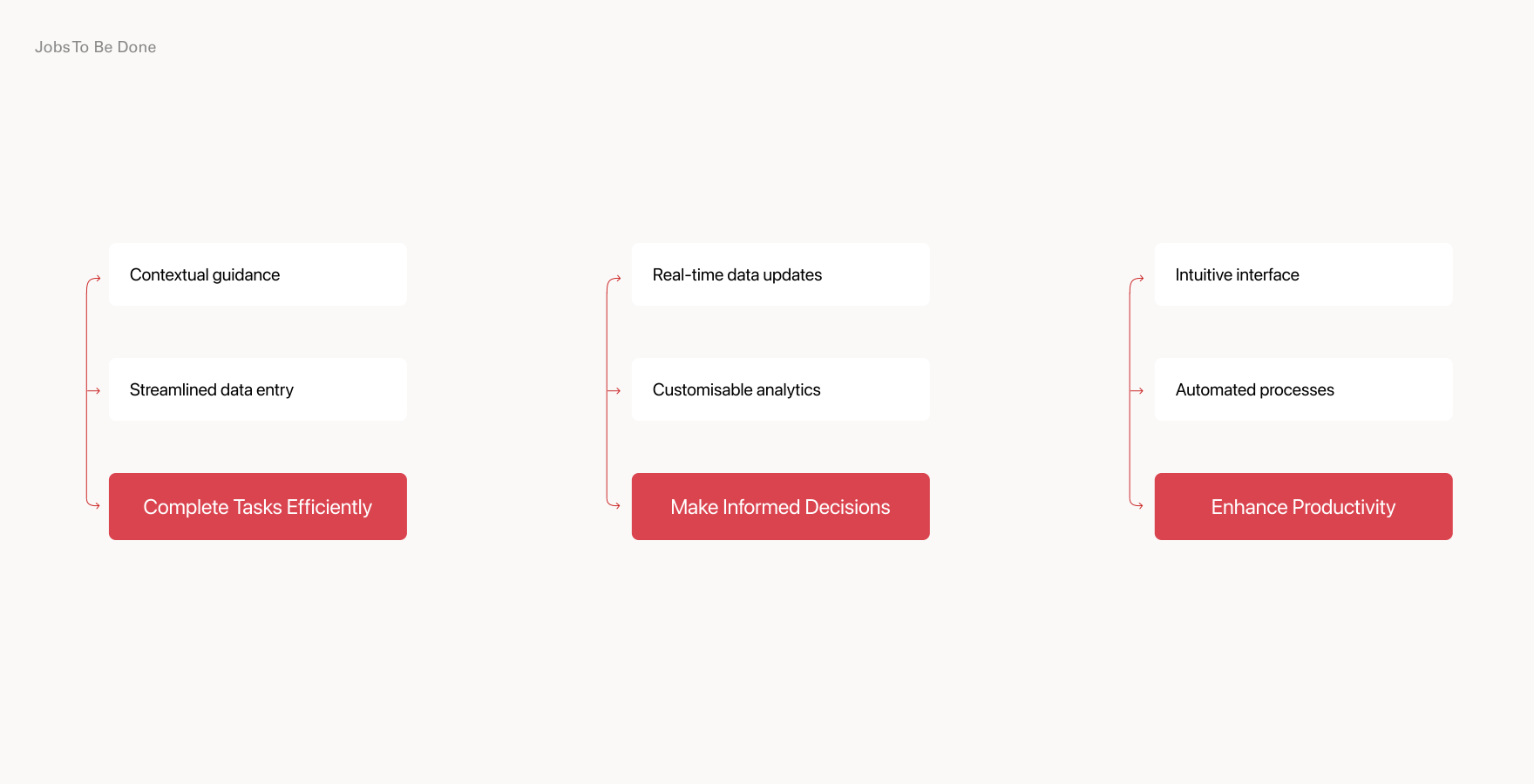
Take and track orders without relying on WhatsApp, memory, or paper notes.
Update and communicate price changes easily, especially in fast-moving commodity markets.
Check stock across godowns instantly to avoid over-selling or delays.
Track payments and credit clearly to reduce confusion and follow up faster.
Access past records to repeat orders or settle disputes confidently.
Simplify daily tasks so that even non-tech users can manage operations on the go.
No.
(V.I)
Subject
Stakeholder Mapping
About
Takeaways
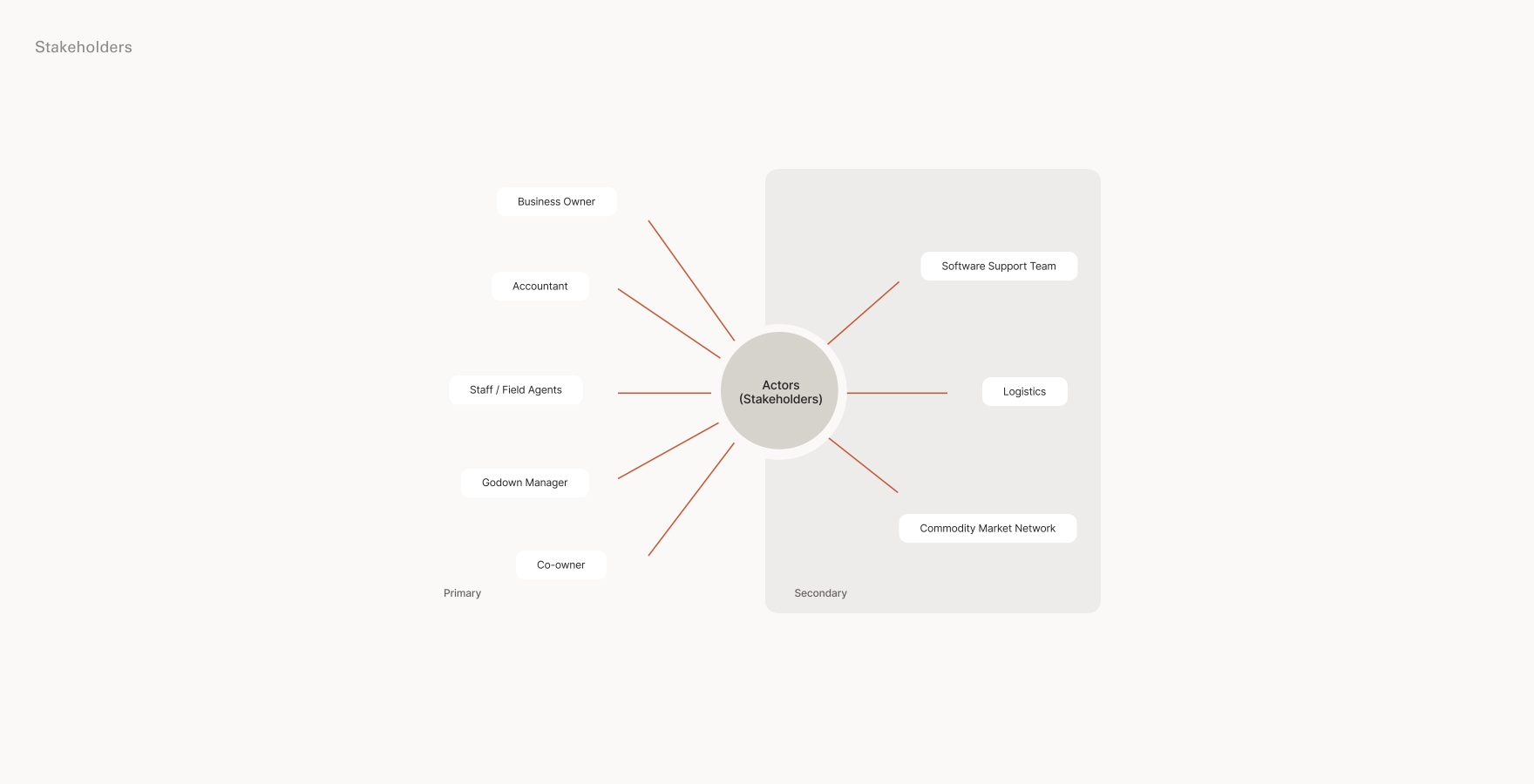
Each stakeholder wants speed and clarity. Owners want easy order taking experience, accountants need accuracy, staff want ease, and godown managers need stock visibility. A shared tool helps everyone work better without confusion or double work.
No.
(V.II)
Subject
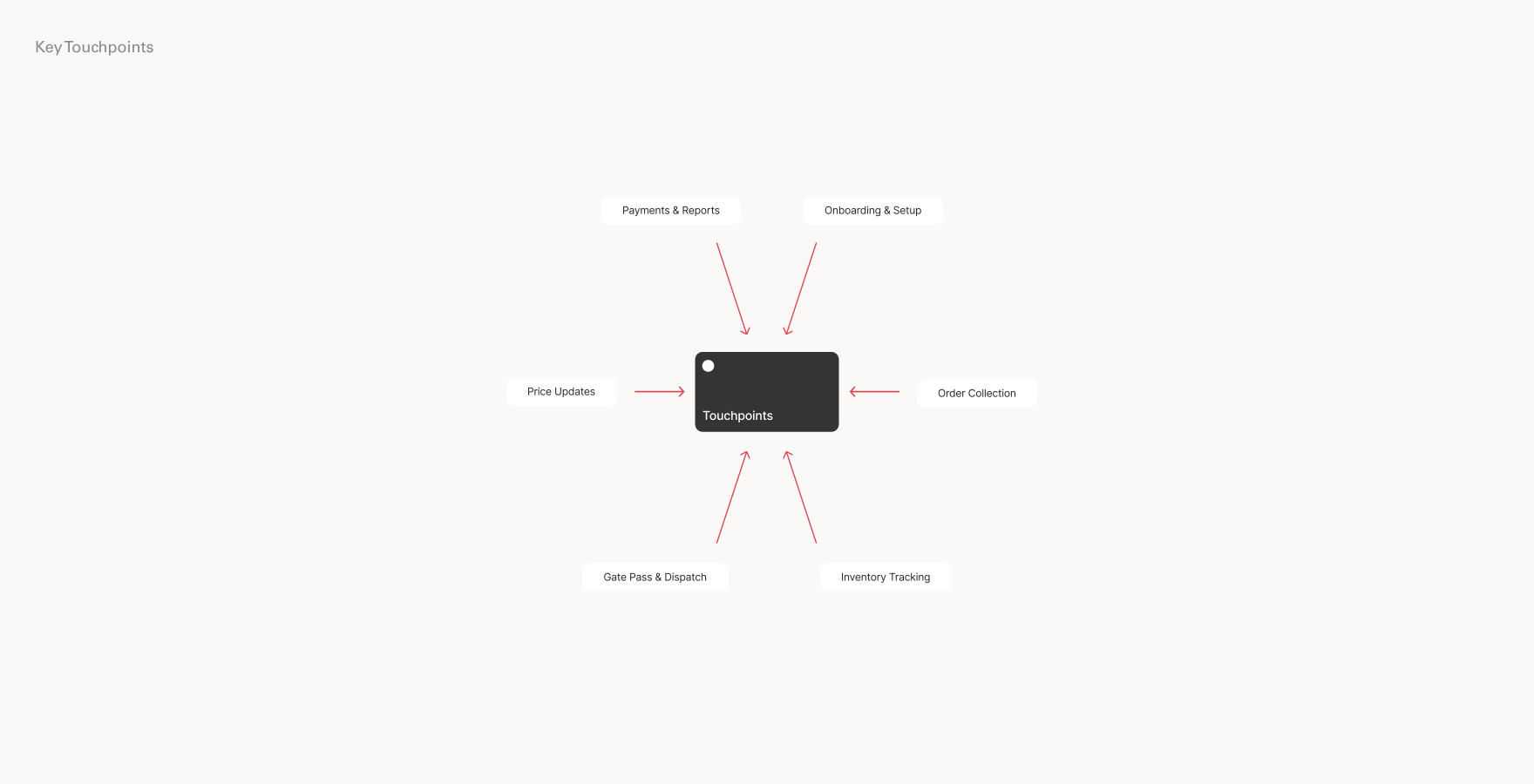
Key Touchpoints
About
Takeaways
Key moments happen when orders are taken, payments are made, stock is checked, and prices are shared. These points must be fast, error-free, and easy because mistakes here affect the whole business.
No.
(V.III)
Subject
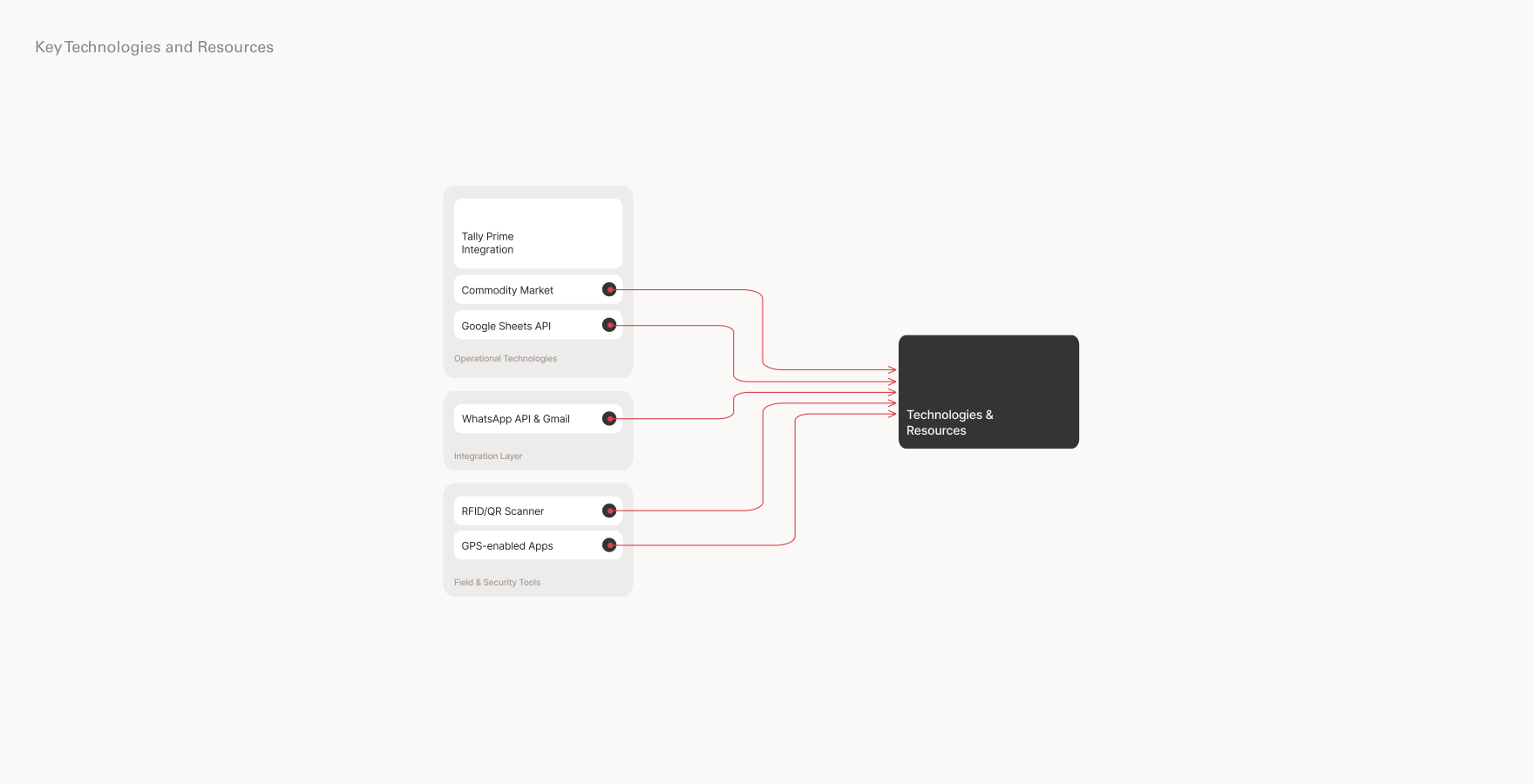
Key Technologies
and Resources
About
Takeaways
The system should work on any phone, even with low internet. It must be simple to use, save data safely, show real-time info, and allow multiple people to update without losing anything.
No.
(V.IV)
Subject
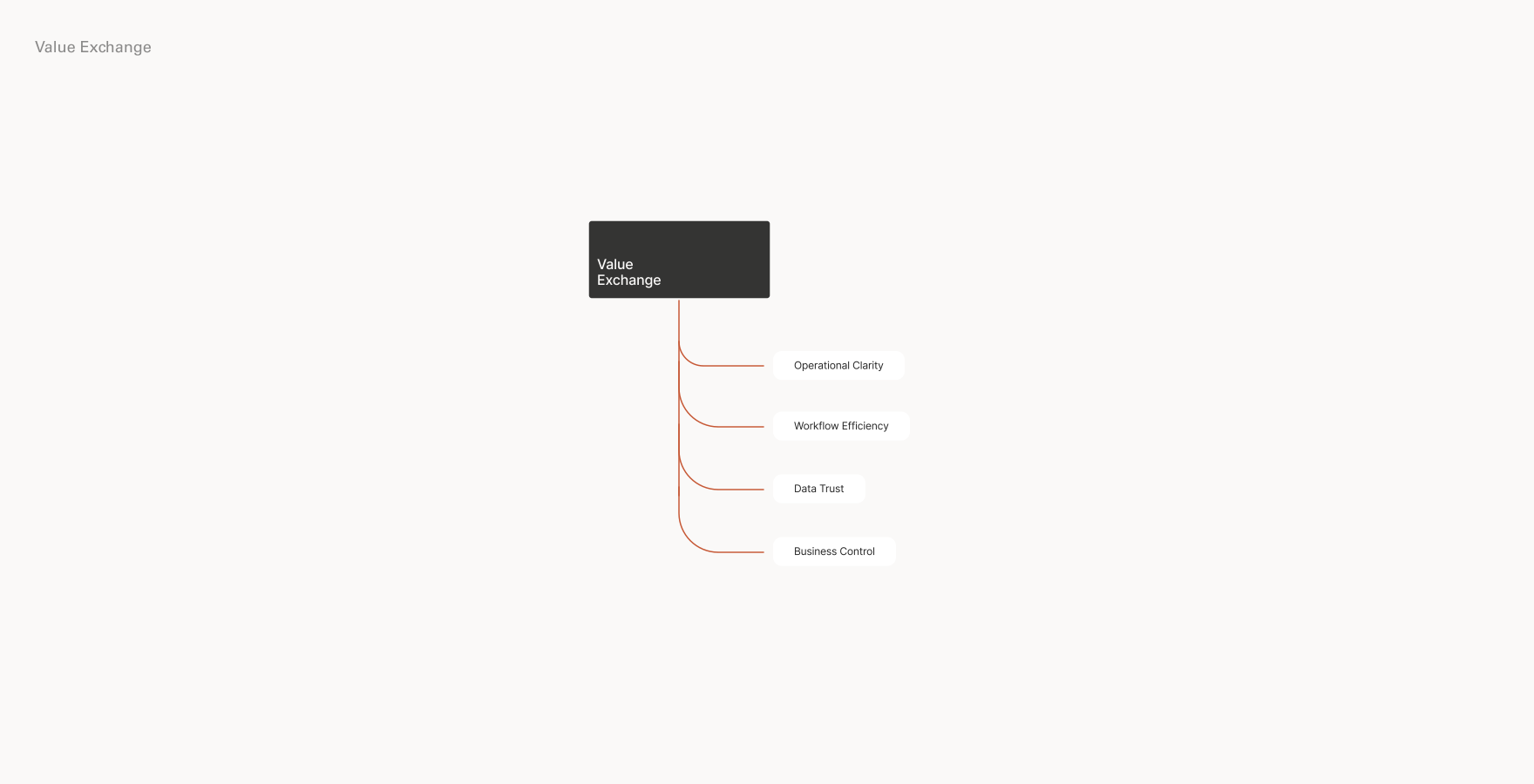
Value Exchange
About
Takeaways
Users prioritise context-sensitive guidance, seamless access to previous purchase reports, and streamlined data entry processes in accounting software. Emphasising intuitive interfaces, integrated analytics, and automated workflows can enhance user satisfaction and productivity.
No.
(V.V)
Subject
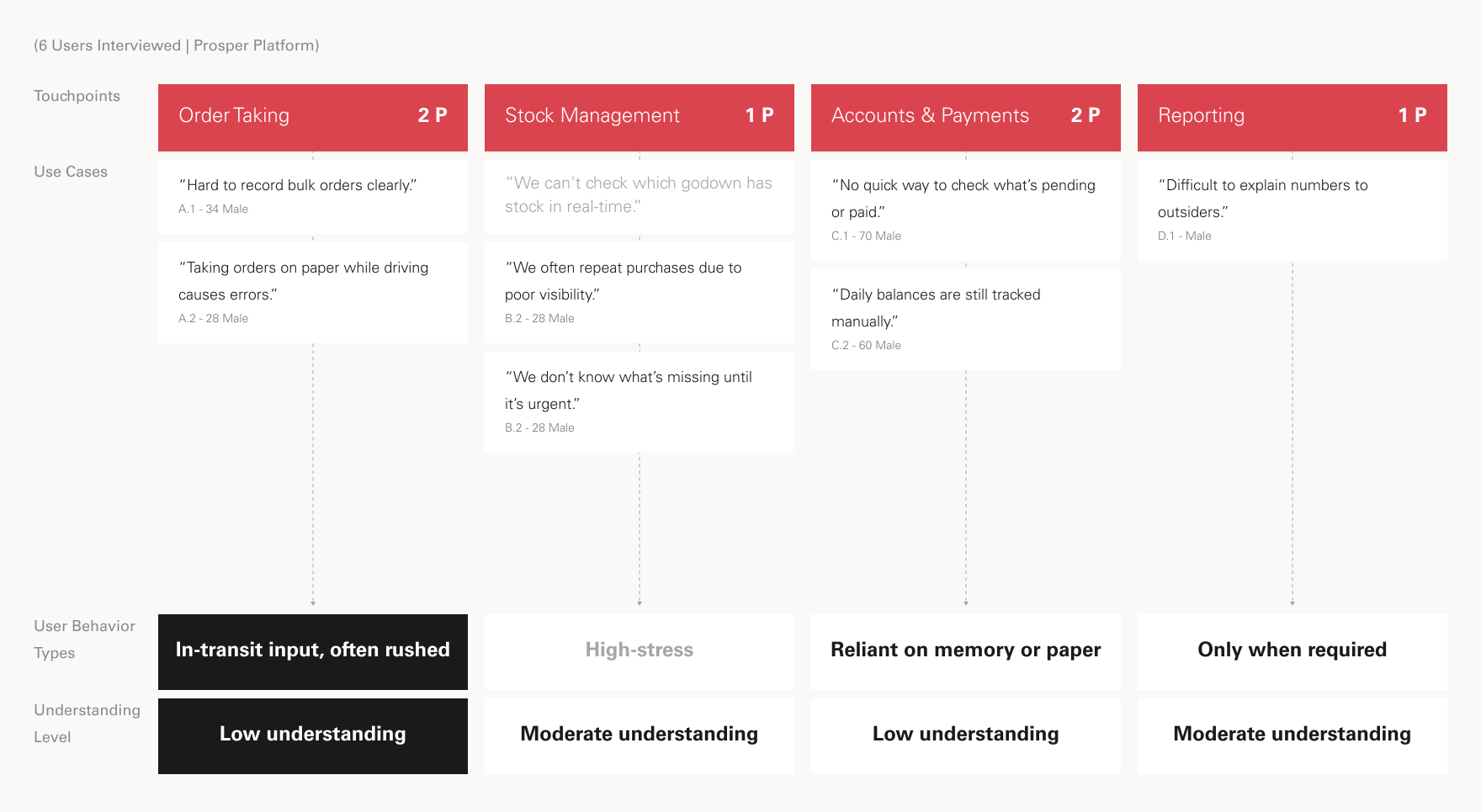
Service Mapping
About
Takeaways
The business runs through many steps like taking orders, tracking stock, updating prices, managing credit. Right now, these steps happen across paper, calls, and memory. A good system should connect these touchpoints into one smooth flow, so nothing gets missed or delayed.
No.
(VI)
Subject
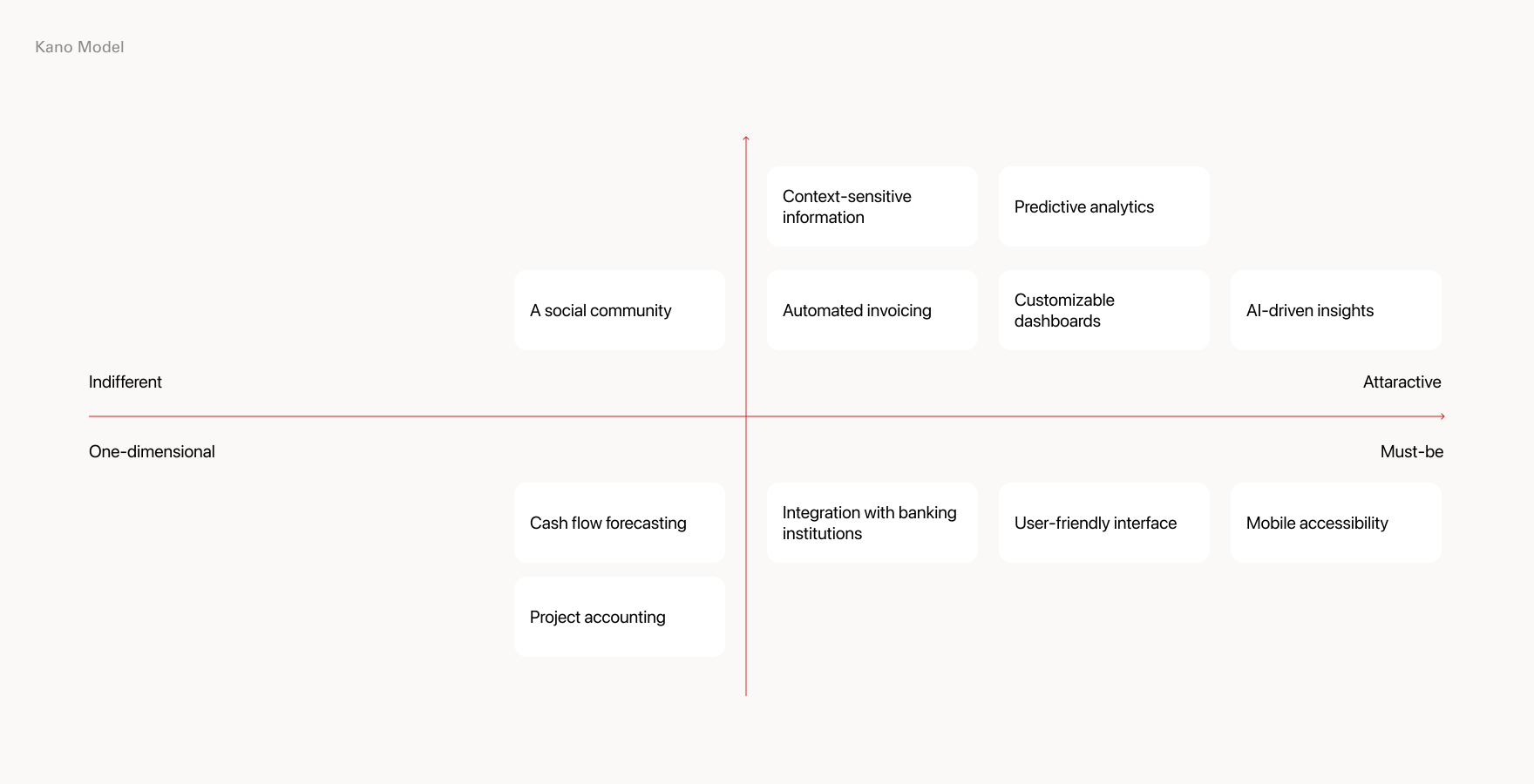
Kano Model
About
Takeaways
Users expect basics like saving orders, tracking payments, and seeing stock. They feel good when the app is fast, updates prices, and works offline. Extra smart features? Nice to have, but not needed at the start.
No.
(VII)
Subject
User Segmentation or
Role Setting
About
Takeaways
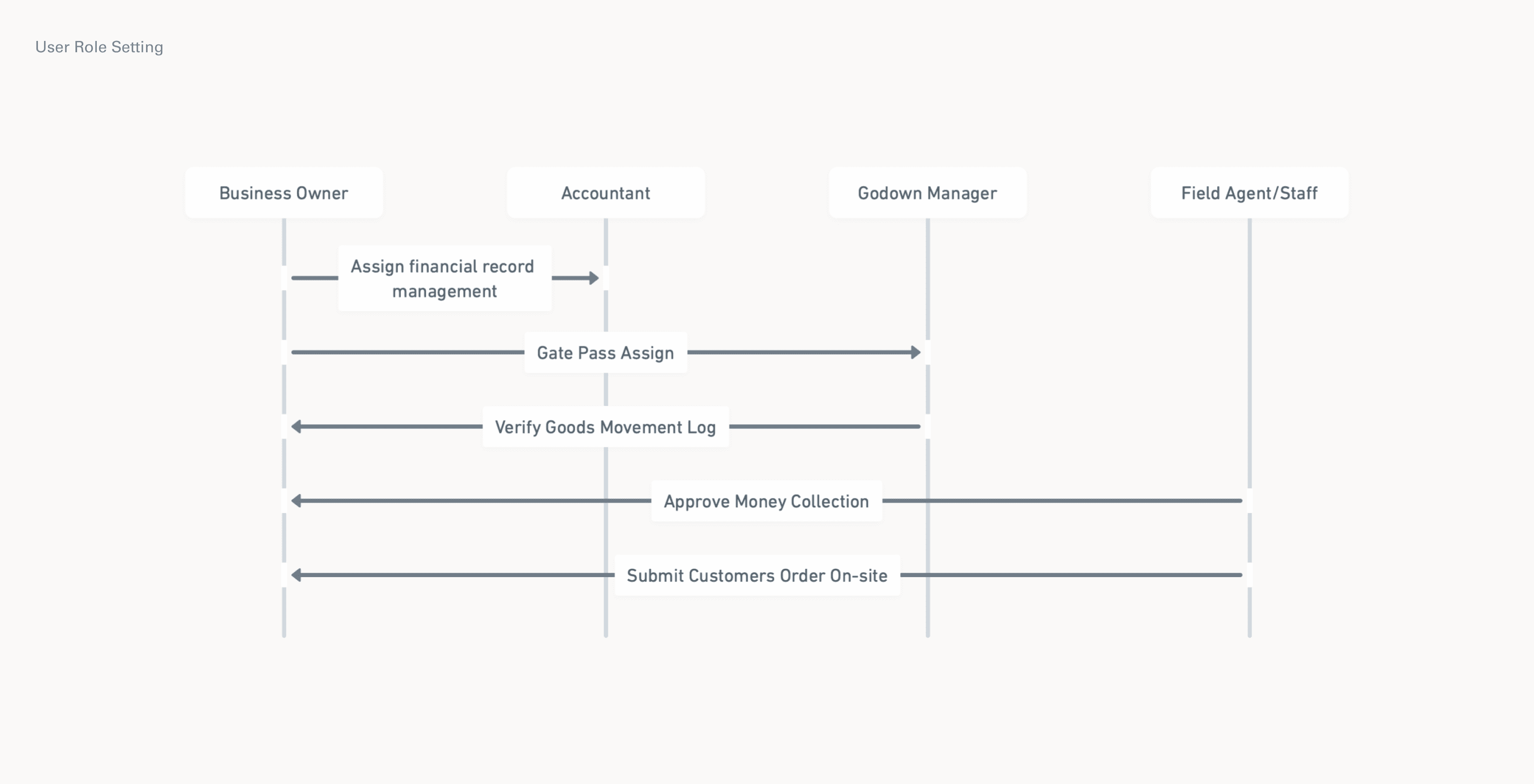
Different users do different tasks. Owners want full control, accountants manage numbers, field staff take orders and updates payment collection or debt collection, and godown managers logs loading and unloading of items. The system should show each person only what they need. No confusion, no extra buttons.
No.
(VIII)
Subject
Information Architecture
About
Takeaways
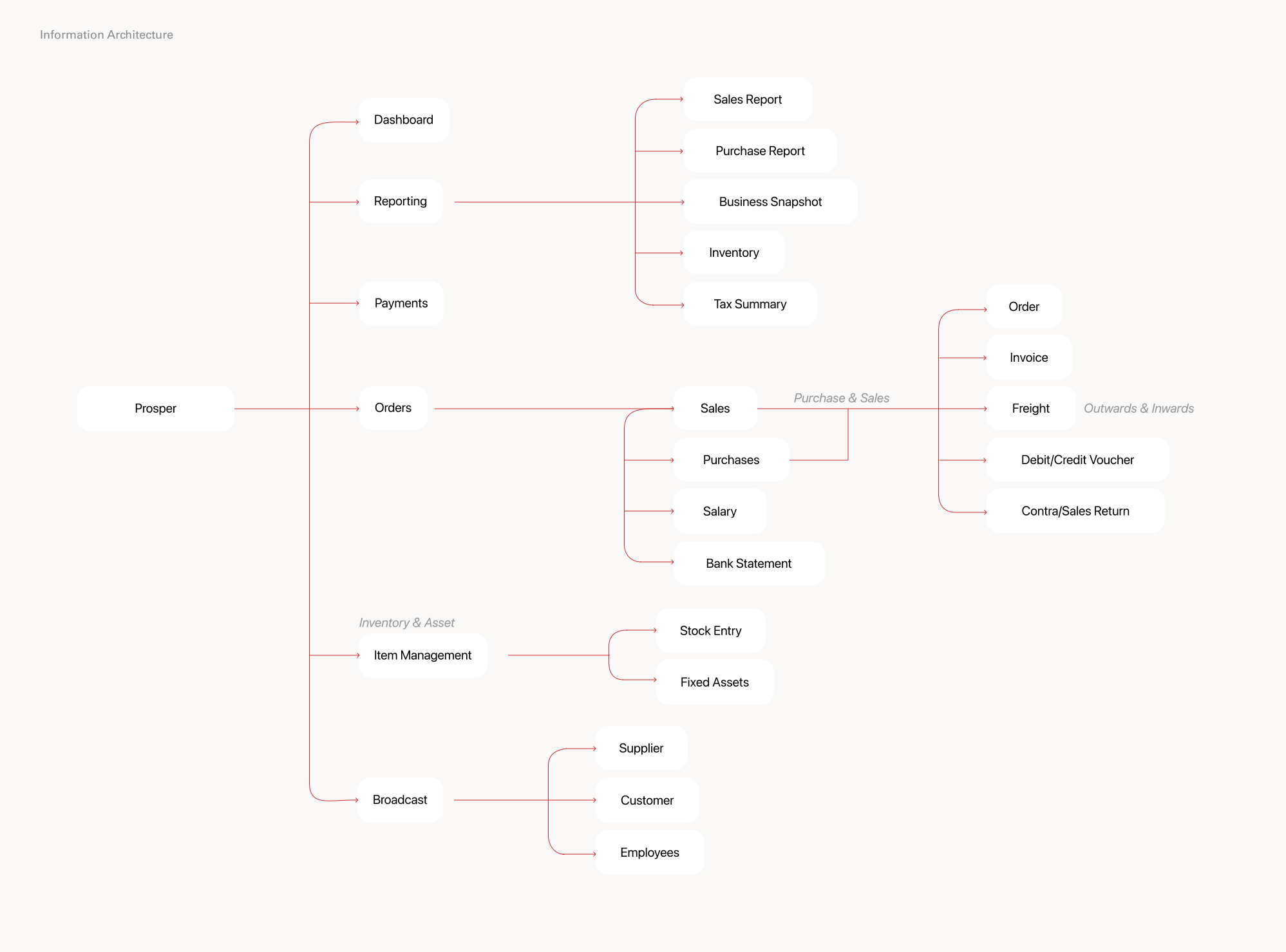
Users want everything in one place, but not all at once. The structure should be clean, grouped by tasks like orders, stock, and payments, so each person sees only what they need, without getting overwhelmed.
No.
About
Visual Identity
02
I
Logo
II
Typography
III
Colour
IV
Icon
No.
(I,II,III,IV)
Subject
Visual Identity
About
Takeaways
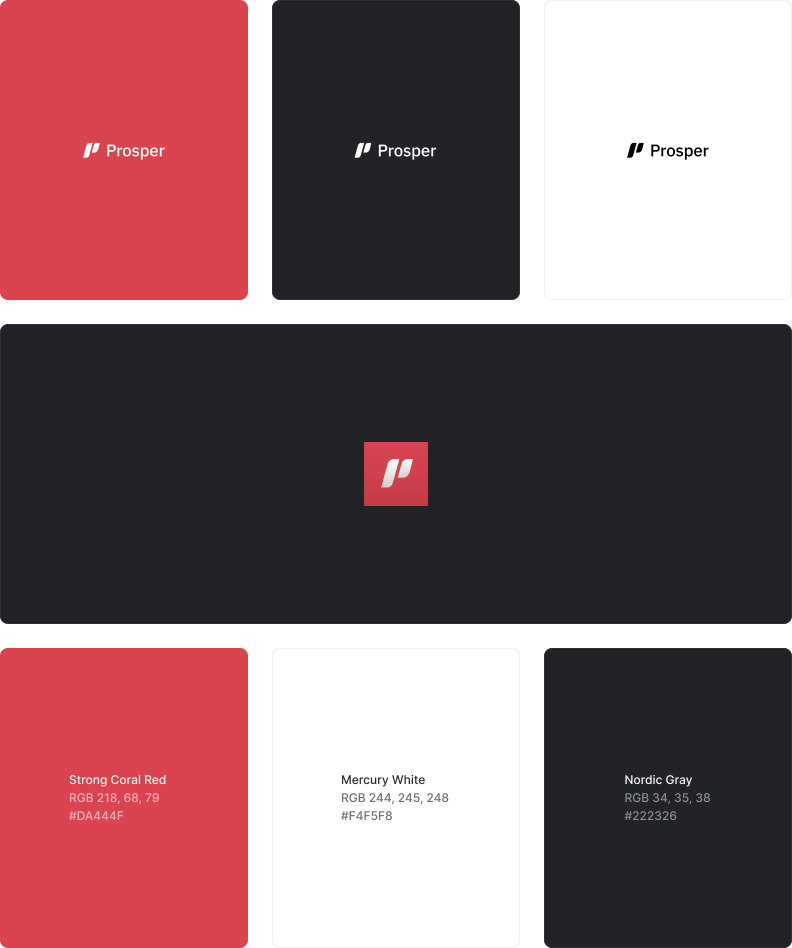
Why the Name Prosper?
Prosper reflects ambition, forward motion, and financial growth.
Why Red?
Red stands for urgency, confidence, and action, a nod to how fast-paced and responsive wholesale trading needs to be. It grabs attention and suits users who make quick, daily decisions.
No.
About
High-Fidelity and Features
03
I
Onboarding
II
Dashboard
III
Reports
IV
Order Experience
V
Payments
In-Progress
Currently revamping key screens to integrate AI features and improve workflows, with design tweaks across the platform. Updated version expected by Mid July.